
Twitter Space Downloader
Save a recorded X Space as an MP3. Paste a public replay link to start.
Free · No sign-up · No app or extension
X has no button for saving a Space. Its own help page for hosts says it is “not possible to download a Spaces Recording directly to your device as an audio file.” This Twitter Space downloader covers that gap: paste the link to a recorded Space and your browser turns the replay into an MP3 you can keep.
It works for listeners as well as hosts. Use it to download Twitter Space audio from interviews, AMAs, panels and community calls. There is nothing to install and no X login to hand over. It only needs a Space that was recorded and whose replay still plays on X.
How to Download a Twitter Space as MP3
The same three steps download an X Space recording on a phone or a computer. Short Spaces finish in well under a minute, and longer ones in a few minutes.

1Copy the Space link
Open the recorded Space in the X app or on x.com. Tap Share, then Copy link. The link should contain /i/spaces/. A link to the host’s profile, or to a post that mentions the Space, will not work.
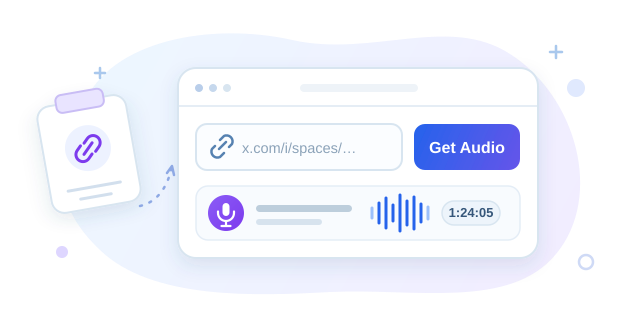
2Paste it and press Get Audio
Paste the link into the Twitter Space downloader at the top of this page and press Get Audio. The tool checks that the Space was recorded and that its replay is still public, then shows the title, host and length.
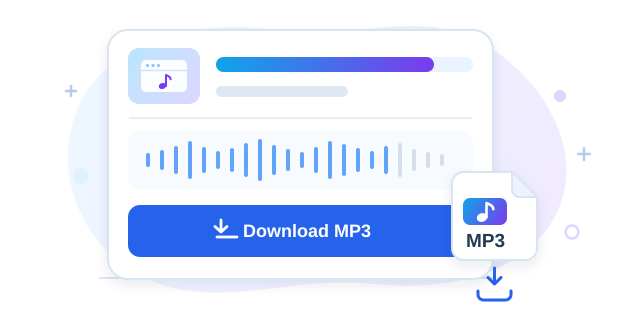
3Download the MP3
Press Download MP3 and keep the tab open while the progress bar runs. Your browser fetches the audio, converts it and saves the file to your downloads folder. Press Download Another for the next Space.
Where to Find the Space Link
A Space link contains /i/spaces/ followed by a short ID, for example x.com/i/spaces/1OyKAVveDNnGb. Open the recorded Space, choose Share, then Copy link. On a computer you can copy the address from the browser bar instead. Links on twitter.com work the same way.
Two kinds of link will not work. A profile link points to a person, not a recording. A post link (it contains /status/) points to the post that announced the Space. Open the Space card inside that post and copy the link from there.
Which Spaces Can Be Downloaded
Only recorded Spaces. Recording is not automatic: the host has to switch it on before going live. If they did, X publishes a replay as soon as the Space ends, and anyone can play it on the web, iOS or Android. That public replay is what gets saved.
- Live Spaces. There is no finished recording yet. Wait until the Space ends, then use the same link.
- Spaces that were never recorded. When the host left recording off, no audio exists for any tool to fetch.
- Deleted replays. A host can remove a recording at any time. Once it is gone from X, it is gone here too.
How Long X Keeps a Space Replay
The common answer is “30 days”, and it is out of date. X’s current documentation says a recording made from a recent version of the app “lasts indefinitely on X until it is deleted by a Host”. The 30-day limit still applies to Spaces started from older app versions.
In practice a replay can disappear at any moment, because the host can delete it whenever they like, and you cannot tell from the outside which rule applies. If a conversation matters to you, download the Twitter Space recording while it still plays.
What People Do With a Saved Space
Three common reasons people download X Spaces instead of relying on the replay.

Turn your Space into a podcast
Hosts download their own Space recording, trim the silence at the start and publish it as a podcast episode, or cut the best answers into short clips.
Tell your guests before you republish. They agreed to a live room, not necessarily to a podcast feed.

Listen later, offline
A two-hour AMA rarely fits into one sitting. Saved as an MP3, it plays in any music or podcast app, keeps your place and works on a flight or in the car.
Many podcast and music apps can open a local MP3 and let you change the playback speed.

Archive or transcribe it
Community teams and researchers keep earnings calls, project updates and panels on file, or run the MP3 through a transcription tool to get searchable text and accurate quotes.
Keep the original Space link next to the file, so a quote can be traced to its source.
What You Get: MP3 Format and Quality
Every Twitter Space to MP3 conversion produces the same kind of file. X streams a replay as a long series of short AAC audio segments. The tool joins them in order and re-encodes the result as one MP3.
| Format | MP3. It plays on every phone, computer, car stereo and podcast app. |
|---|---|
| Quality | Encoded for speech, so voices stay clear while the file stays small. |
| File size | Compact, so even a long Space is easy to keep on your phone. |
| Length | The whole replay in one file, from the first second to the last. |
How the Conversion Works
Converting an X Space to MP3 involves our server for two small jobs only. It looks up the Space to find its public audio stream, and it relays the audio segments to your browser, because X’s media servers refuse requests that come straight from another website.
Everything else happens on your device. Your browser assembles the segments and encodes the MP3 with a copy of FFmpeg that runs inside the page. The finished file is never uploaded to us, and you never enter an X password.
Other Ways to Download Twitter Spaces
An online Twitter Space downloader is the quickest route, not the only one. Each alternative has a cost.
- This page
- Needs: A browser and the Space link.
- Catch: Recorded Spaces only, which is true of every method here.
- yt-dlp
- Needs: A command line, plus the .m3u8 stream address copied from your browser’s developer tools.
- Catch: Free and precise, but there are several manual steps and nothing to click.
- Browser extension
- Needs: Installing an extension and playing the replay so it can detect the audio.
- Catch: You grant an extension access to pages you visit, and most only run on desktop browsers.
- Desktop or phone app
- Needs: Downloading and installing software.
- Catch: Often paid or limited to a trial. One more app to trust and keep updated.
- Screen or audio recording
- Needs: Playing the entire Space in real time.
- Catch: A two-hour Space takes two hours, and notification sounds end up in the recording.
- Your X data archive
- Needs: Being the host, and waiting up to a day for the archive.
- Catch: Only covers Spaces you hosted. Files arrive as .ts and still need converting.
If you hosted the Space yourself
Hosts have an official route. In X, go to Settings and privacy, then Your account, then Download an archive of your data. When the archive is ready, unzip it and open data/spaces_media. Each recording is a .ts file, which you then convert to MP3 or WAV yourself. The archive can take a day to arrive and contains your whole account. For a single recording, pasting the link above is faster, and it works the same whether or not you were the host.
Why Use This Twitter Space Downloader
Free, without an account
No fee, no sign-up and no limit on how many Spaces you save. Nothing is added to the audio.
Nothing to install
It runs in the browser you already have, so there are no extension permissions to grant and no app to update.
Converted on your device
Your browser assembles and encodes the MP3. The finished file is never uploaded to us, and no X login is involved.
For hosts and listeners
You do not need to be the host to download a Twitter Space. Any recording with a public replay works, including your own.
On iPhone, Android and Desktop
iPhone and iPad
In the X app, open the Space, tap Share and copy the link, then paste it here in Safari or Chrome. When the conversion finishes, the MP3 goes to your browser’s downloads, which you can open from the Files app. Keep the tab open until the download starts.
Android
Copy the Space link from the X app and paste it here in Chrome or another browser. The Twitter Space MP3 lands in your Downloads folder and appears in your music or files app.
Windows, Mac and Linux
Copy the address of the Space from the browser bar, paste it here and press Get Audio. The MP3 is saved to your downloads folder, ready to drop into an editor or a podcast app.
If a Space Won’t Download
“Paste a Space link”
The box received a profile or some other address. Open the Space itself and copy a link that contains /i/spaces/.
“That’s a tweet link”
The link points to a post, not to the Space. Open the Space card in that post and copy its link. If you want the sound from a video post, use the Twitter to MP3 tool instead.
“No downloadable replay was found”
The Space was not recorded, or the host has deleted the replay. No X Space downloader can recover audio that X no longer serves.
Frequently Asked Questions
How do I download a Twitter Space recording?
Copy the Space link from X, paste it into the Twitter Space downloader at the top of this page and press Get Audio. When the Space appears, press Download MP3. The recording is converted in your browser and saved to your device.
Can you listen to a Twitter Space after it ends?
Yes, if the host recorded it. X publishes the replay as soon as the live Space ends, and anyone can play it on the web, iOS or Android. If the host did not record, there is nothing to replay or download.
Are Twitter Spaces recorded automatically?
No. The host has to switch on Record Space before starting. A Space that was not recorded leaves no audio behind.
How long are Twitter Space replays available?
According to X, a recording made from a current version of the app stays up indefinitely, until the host deletes it. Spaces started from older app versions are kept for 30 days. Because a host can delete a replay at any time, download the ones you care about early.
How do I find an old Twitter Space recording?
Look on the host’s profile or in the post that announced the Space. A recorded Space can still be played from there. If you no longer have the post, search X for the Space title. Once you have it open, copy its link and paste it here.
Can I download a Twitter Space that isn’t mine?
Yes. Any recorded Space with a public replay works, and you do not have to be the host. Respect copyright and X’s terms, and only reuse recordings you have permission to use.
Can I download a live Twitter Space?
No. A live Space has no finished recording yet. Wait until it ends, then paste the same link. If the host recorded it, the replay will be ready.
How do I download a Space I hosted myself?
Paste its link here, exactly as a listener would. The official alternative is to request your X data archive, where recordings arrive as .ts files in the spaces_media folder, but that can take a day and the files still need converting.
Is it legal to download a Twitter Space?
The rules differ by country, and this page is not legal advice. Keeping a copy for your own listening is a different matter from republishing it: republishing someone else’s Space without permission can infringe copyright. Download only what you created, own or have permission to use.
Do I need an X account?
No. There is no login on this page and no browser extension. The Twitter Space downloader only reads the public replay.
Is it free?
Yes. You can download Twitter Spaces here with no charge, no sign-up and no cap on how many you save.
What audio format and quality do I get?
The Twitter Space audio is saved as an MP3 encoded for clear speech. The file is compact and plays in any music or podcast app.
Does it work on iPhone and Android?
Yes. The Spaces downloader runs in Safari, Chrome and other mobile browsers without an app, and the MP3 is saved straight to your phone.
Only save recordings you own or have permission to keep. This service is independent of X Corp. Need the sound from a video post instead? Use Twitter to MP3. To save the video itself, use the Twitter video downloader. Our privacy policy explains analytics and request data.
Save the Space Before the Replay Goes
Paste the link into the Twitter Space downloader at the top of this page and keep the conversation as an MP3.
Back to the downloader